HydraStorm: Storm Drain Design Inside Civil 3D
Load the pipe network from your drawing, run HGL/EGL calculations with live feedback, size pipes automatically, and write the results back to Civil 3D — without leaving the CAD environment.
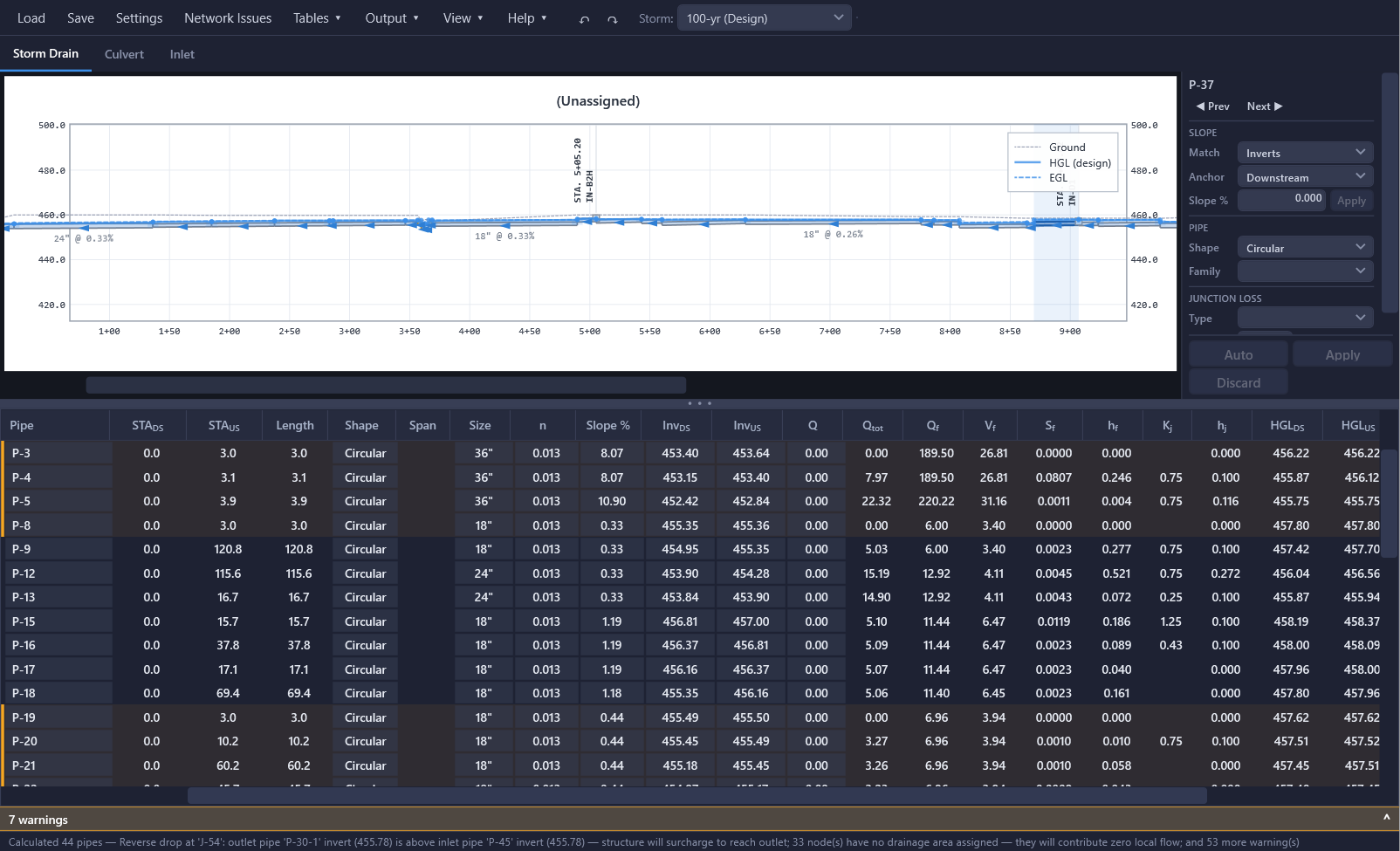
HydraStorm is an Autodesk Civil 3D plugin for storm drain hydraulic design and analysis. It reads your pipe network directly from the drawing, computes the hydraulic grade line downstream to upstream with junction losses, checks every pipe against your design criteria, and applies your changes back to the Civil 3D objects. Storm drains, inlets, and culverts are handled in one integrated tool — no exporting to a spreadsheet and copying results back.
How It Works
A complete design iteration, from drawing to deliverable, in one window.
Load the network
Pick a pipe network in the drawing. Pipes, structures, and the available part sizes come straight from Civil 3D.
Read the docs →Set the hydrology
Enter peak flows, use the Rational Method with NOAA Atlas 14 IDF curves, or import HydraLink basin results.
Read the docs →Design and check
Edit inverts, slopes, and sizes in place or run Auto Design. The profile view, HGL/EGL, and compliance column update as you go.
Read the docs →Apply and deliver
Push changes and HGL, EGL, and flow results into the native Civil 3D properties, draft profile views and labels, and export the Storm Calcs workbook to Excel.
Read the docs →Live HGL/EGL Analysis
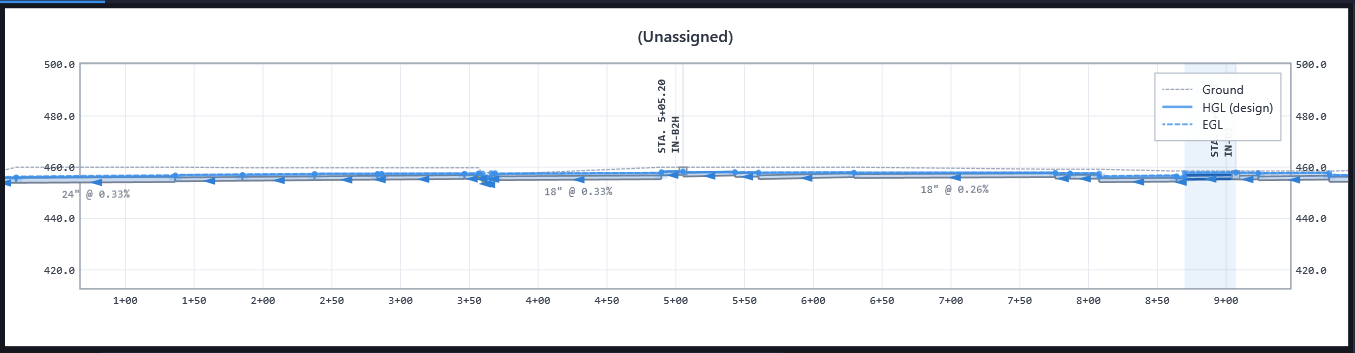
Every edit recalculates the hydraulic and energy grade lines and redraws the profile. Pipe crossings are checked for clearance, the ground surface is overlaid, and the compliance column reports pass/fail against your criteria for each pipe.
- ✓HGL & EGL computed downstream to upstream
- ✓Interactive profile view with crossing clearance detection
- ✓Multiple storm events with independent design and check storms
- ✓Compliance checking with acknowledged exceptions
Auto Design
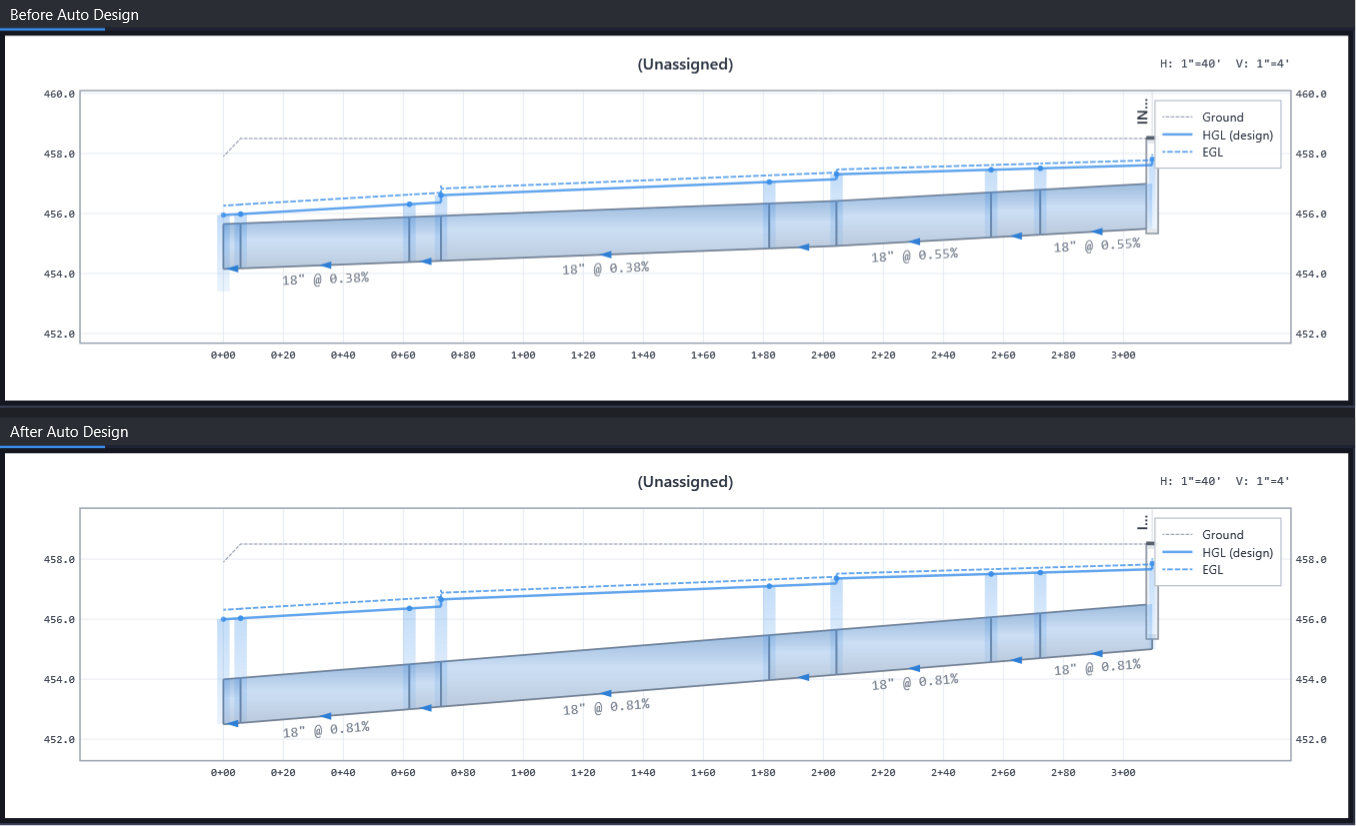
Size a run or the whole network automatically to meet capacity, velocity, and cover criteria, using only the sizes in your Civil 3D parts list. Rather than upsize a whole run, it can step the size up partway along the run by splitting it at a null structure, and applies the split back to the drawing.
- ✓Pipe sizes tied to the Civil 3D parts list
- ✓Raise/lower, set slope, and match to adjacent pipes
- ✓Design criteria from municipality-specific standards
- ✓Full undo/redo for every edit
Capabilities
Everything documented in the HydraStorm help, in one place.
Junction Losses
HEC-22, iSWM/NCTCOG, and custom expression methods. Built-in and custom loss libraries, curved-pipe barrel losses, and smart memory that learns loss types by part description.
Learn more →Inlet Analysis
HEC-22 grate, curb opening, combination, and slotted drain inlets in sag or on-grade, with gutter spread and depth, bypass routing to downstream inlets, and captured flows feeding the pipe network.
Learn more →Culvert Analysis
FHWA HDS-5 inlet and outlet control for circular, box, and CMP entrances, with multi-barrel support, downstream channel tailwater, and roadway overtopping checks.
Learn more →Flexible Hydrology
Manual peak flows, Rational Method with downstream accumulation and Tc management, or HydraLink import. IDF data from NOAA Atlas 14, CSV, or fitted coefficients.
Learn more →Design Standards & Compliance
Loss libraries carry design criteria such as return periods, velocity limits, cover, and minimum diameter. Every pipe gets a pass/fail score after each calculation.
Learn more →Civil 3D Round Trip
Apply edits and design storm HGL, EGL, and flow results to native pipe and structure properties, draft profile views and HGL layout profiles per alignment, apply label styles, and draft storm, culvert, and inlet CAD tables.
Learn more →Bulk Tables
Spreadsheet-style Hydrology, Pipe, and Structures tables for entering flows, Manning's n values, and loss assignments across the whole network at once.
Learn more →Excel Export
Export the full Storm Calcs workbook with live formulas and a sheet per storm, plus Quantities, Loss Coefficients, and Inlet Summary sheets when those results exist.
Learn more →Drawing Hygiene
Find connectivity issues in one list, clean up reversed or zero-length pipes and missing reference alignments, and rename parts by run from each outfall upstream.
Learn more →Eliminate the Spreadsheet
The traditional storm drain workflow exports pipe data from Civil 3D, pastes it into a spreadsheet, runs the HGL calculations there, and then goes back to Civil 3D to update sizes and inverts. Every design iteration means another round trip.
HydraStorm replaces that loop. The network loads from the drawing, calculations run as you edit, and changes apply back with one click, along with the HGL, EGL, and flow results, so Civil 3D labels show the same numbers as the calcs. If you still want a spreadsheet to verify results or submit with your drainage report, export the Storm Calcs workbook to Excel.
Works with HydraLink
Model the hydrology in HydraLink — basins, routing, and detention — and import the basin and runoff results into HydraStorm to drive the storm drain design. The two products are licensed separately.
System Requirements
- Host: Autodesk Civil 3D 2025 or later
- OS: Windows 10 or later (64-bit)
- RAM: 8 GB minimum, 16 GB recommended
- Internet: Required for license activation and NOAA data
Licensing
- Annual: $450 per seat
- 3-year: discounted, see pricing
- Trial: 7 days, no credit card
- Includes: all features, updates, and priority email support
Frequently Asked Questions
Which versions of Civil 3D does HydraStorm support?
HydraStorm runs inside Autodesk Civil 3D 2025 or later on 64-bit Windows 10 or later.
Does HydraStorm change my drawing while I work?
No. Edits stay inside HydraStorm, with full undo and redo, until you choose to apply them. Applying writes pipe sizes, inverts, Manning's n, part family changes, and Auto Design pipe splits back to the Civil 3D pipe network objects. It also writes the design storm results into the native Civil 3D pipe and structure properties: HGL, EGL, flow rate, return period, and junction loss. Your existing label styles and part list reports can show those values directly, and they update every time you apply.
Where do the available pipe sizes come from?
From the Civil 3D parts list assigned to the network. Every size you pick in HydraStorm corresponds to a real part that can be applied back to the drawing, and the list updates when you change part families.
Which junction loss methods are included?
HEC-22 and iSWM/NCTCOG methods are built in, along with municipality-specific standards. You can also define custom loss equations with the expression editor and manage them as libraries.
Can HydraStorm use hydrology from HydraLink?
Yes. HydraStorm imports HydraLink basin and runoff results (.hyd / .hlresults) to drive design flows, alongside manual peak flow entry and its own Rational Method hydrology with NOAA Atlas 14 IDF curves.
Is there a free trial?
Yes. Every new account gets a 7-day free trial with full access to all features. No credit card is required.
Design Your Next Storm Drain in Civil 3D
Try HydraStorm free for 7 days. No credit card required.